Many small business owners assume hackers only go after large companies. In reality, attackers often prefer smaller targets because they tend to have fewer protections and no dedicated security staff. The good news is that you do not need a big budget to improve your defenses. A handful of consistent habits can prevent most everyday problems.
Use this checklist as a starting point. You can work through it over a few weeks, tackling the most important items first.
1. Turn On Two-Step Sign-In Everywhere
Two-step sign-in, also called multi-factor authentication, adds a second check after your password. Even if a password is stolen, the account stays protected. Enable it first on email, banking, accounting software, cloud storage and social media accounts. Where possible, use an authenticator app or passkey instead of text messages.
2. Use a Password Manager
Reusing passwords is one of the biggest risks for any business. A password manager creates long, unique passwords and fills them in for you, so staff do not have to remember or write them down. Many offer team plans with shared vaults, which also makes it easier to remove access when someone leaves.
3. Keep Software Updated
Updates often fix security holes that attackers already know about. Turn on automatic updates for operating systems, browsers and business apps. Replace devices and software that no longer receive security updates, since they become easy targets.
4. Back Up Your Data
Backups are your safety net against ransomware, hardware failure and human error. A simple rule is to keep three copies of important data, on two different types of storage, with one copy stored offsite or in the cloud. Just as importantly, test your backups now and then by restoring a file to make sure they really work.
5. Train Your Team to Spot Phishing
Most attacks start with a message that looks real. Teach staff to slow down and check before they click.
- Be careful with unexpected attachments and links.
- Check the sender address, not only the display name.
- Be suspicious of urgent requests for payments or gift cards.
- Confirm unusual payment changes by calling a known number.
- Report suspicious messages instead of deleting them quietly.
6. Limit Who Can Access What
Not everyone needs access to everything. Give each person only the access they need for their job, and review permissions regularly. When someone changes roles or leaves, update or remove their accounts straight away.
7. Protect Company Devices
Turn on device encryption and screen locks for laptops and phones, so lost devices do not become data breaches. Install reputable security software, and consider remote-wipe tools for devices that leave the office. If employees use personal devices for work, set clear rules about what is allowed.
8. Secure Your Wi-Fi and Network
Change the default router password, use modern encryption on your Wi-Fi, and create a separate guest network for visitors. If you have a lot of remote workers, make sure they use secure connections when handling sensitive data.
9. Be Careful With Vendors and Apps
Every tool you connect to your business is part of your security. Choose providers that explain their security practices clearly, and remove apps and integrations you no longer use. Review what data each tool can access.
10. Write a Simple Incident Plan
Decide in advance what you will do if something goes wrong. A one-page plan should say who to contact, how to isolate affected devices, where backups are kept and how to inform customers if needed. Having a plan reduces panic and speeds up recovery.
How Passkeys Can Help
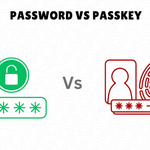
Modern sign-in methods can reduce risk even further. If you are curious about moving beyond passwords, read our guide on passkeys vs passwords.
Making Security a Habit
Security is not a one-time project. Set a reminder every quarter to review accounts, check backups and refresh staff training. Small, steady improvements are easier to maintain than a big overhaul that never gets finished.
Final Thoughts
Protecting a small business does not require expensive tools or technical expertise. Start with two-step sign-in, a password manager, updates and backups, then build from there. For more practical advice on running a modern company, browse the Business category on TechnicalPacks.